A dashboard people actually open
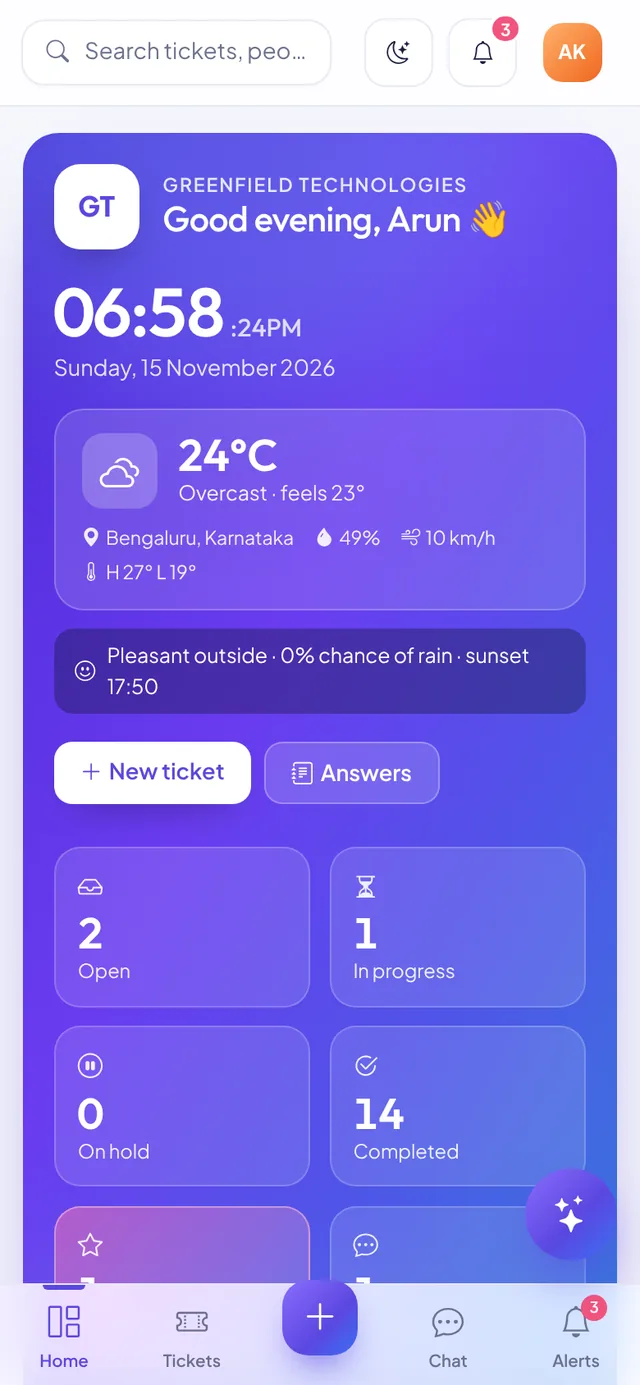
Live clock and weather, the day's numbers, a running activity feed and AI insights with one-click fixes - for admins, agents and the people who raise tickets.

Tickets, live chat and an AI agent that resolves the routine ones, so your team spends its time on the problems that need a person.


A live overview for every role: clock and weather, today's numbers and AI insights.
Every request follows the same path, so nothing waits in someone's inbox.
From the web, the app, or by an agent on someone's behalf - screenshots attached.
Topic, urgency and mood are read from the text. Unhappy customers move up.
To the category owner or the shortest queue. The AI agent answers what the knowledge base covers.
Replies and live chat in one thread, with an e-mail at every change.
One to five stars and a review, straight into your reports.
No add-ons to bolt together. See the full feature list
Live clock and weather, the day's numbers, a running activity feed and AI insights with one-click fixes - for admins, agents and the people who raise tickets.
Unassigned tickets, quiet on-hold ones, missing ratings, knowledge gaps. Press the button and the AI assigns, reminds, asks or drafts.
Colour-coded cards and shortcuts for new, on hold, older than three days, opened or closed today.
Replies and images appear without refreshing. Agents open an instant chat when they need answers fast.
Status, category, monthly trend and ratings. Excel export and print to PDF.
Turn a solved ticket into an article in two clicks. The chatbot, the AI agent and the copilot answer from it.
Separate workspaces, private images, sign-in lock after wrong passwords, an audit log of every change and restore points for the database.
It reads each new ticket, looks up your knowledge base and similar solved tickets, then replies, asks for what is missing, or passes it to a person.
Install it from the browser on iPhone, Android or your computer - or download the Android app. It opens full-screen with a tab bar, and keeps working from the home screen.
Per workspace, users always unlimited. Change plan whenever you need to.
For small teams getting started with a help desk.
AI agent, automation and chat for a growing support team.
Unlimited agents and tickets for larger organisations.
No. Ticketing, chat, reports and the knowledge base work on their own, and the AI features run on built-in rules. Connect OpenAI, Anthropic or Google Gemini for written answers, summaries and tone changes.
It starts in suggest mode, where an agent approves every answer. In automatic mode it only replies above the confidence level you set, only from your knowledge base, and never to angry, urgent or security tickets.
Yes. Install the web app from the browser on any phone or computer, or use the Android app. Open Get the app on your phone.
Yes, from the Billing page of your workspace. See the refund and cancellation policy.
Each company has its own workspace. Tickets, users, files and articles are filtered by workspace on every request, and images are stored outside the public web folder.
Create a workspace, add your team and raise the first ticket in a few minutes.